
Call2Prayer GEN-8 / PROPlus
Add-Ons
Build on Call2Prayer with optional licensed Add-Ons for PROPlus. Automate your venue’s weekly audio routine or plan individual events around your prayer workflows.

AudioManager
Set up your venue’s weekly audio routine.
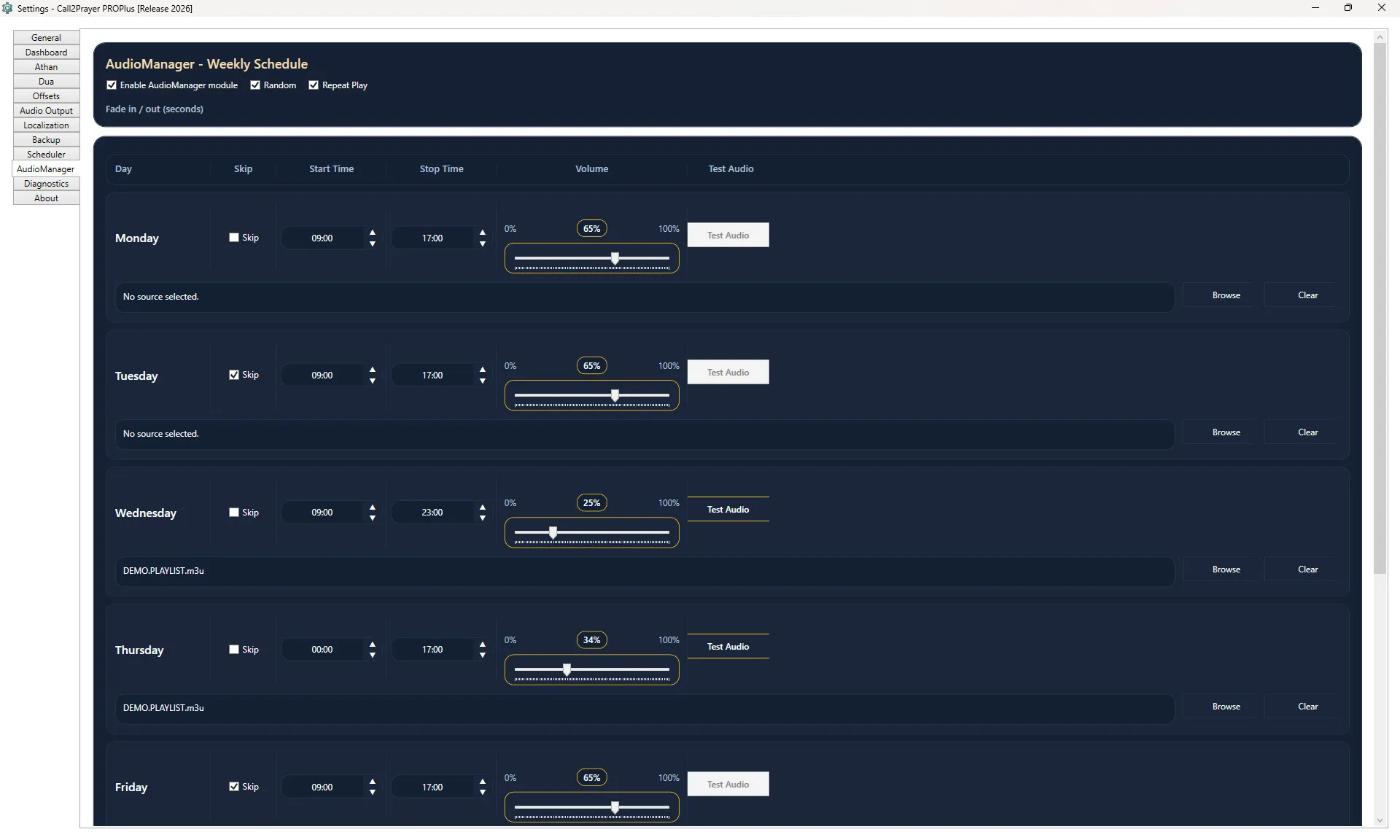
Choose a local audio source or playlist for each day, set start and stop times and playback volume, and skip the days you want silent. Test the selected source in Settings and use fade, shuffle or repeat to suit the playback routine.
Use it to start a venue playlist at opening time and stop it at closing, with different hours or levels on different days. Staff can set up the routine once and adjust it as opening hours change.

Scheduler
Plan announcements, playlists and other audio events on a calendar.
Create one-off or recurring events, then check timing in day, week or month view or scan Upcoming Events. The Scheduler settings show default playback preferences such as volume, fades and what to do when playback is busy or a prayer workflow starts.
For example, a mall can schedule a regular opening announcement, set different closing times for weekdays and weekends, and add a special playlist for a single date. Use the month view to check the pattern and the time grid to check an event’s exact slot.
What would you like to see next?
We’re continually developing new features, improvements and Add-Ons for Call2Prayer. Tell us what you’d like to automate or what would make your team’s day easier. We’d love to hear your ideas.
Custom solutions for your business and venues
Tell us about your venue, the systems you already use and the workflow you want to support. We can work with you to develop a solution designed for those requirements.